Restaurant recipe and standards management
Every recipe. Every shift. Done right.
Give your team one reliable place for recipes, procedures, photos, and kitchen standards—so every shift can execute the right way.
Simple monthly pricing. Cancel anytime.
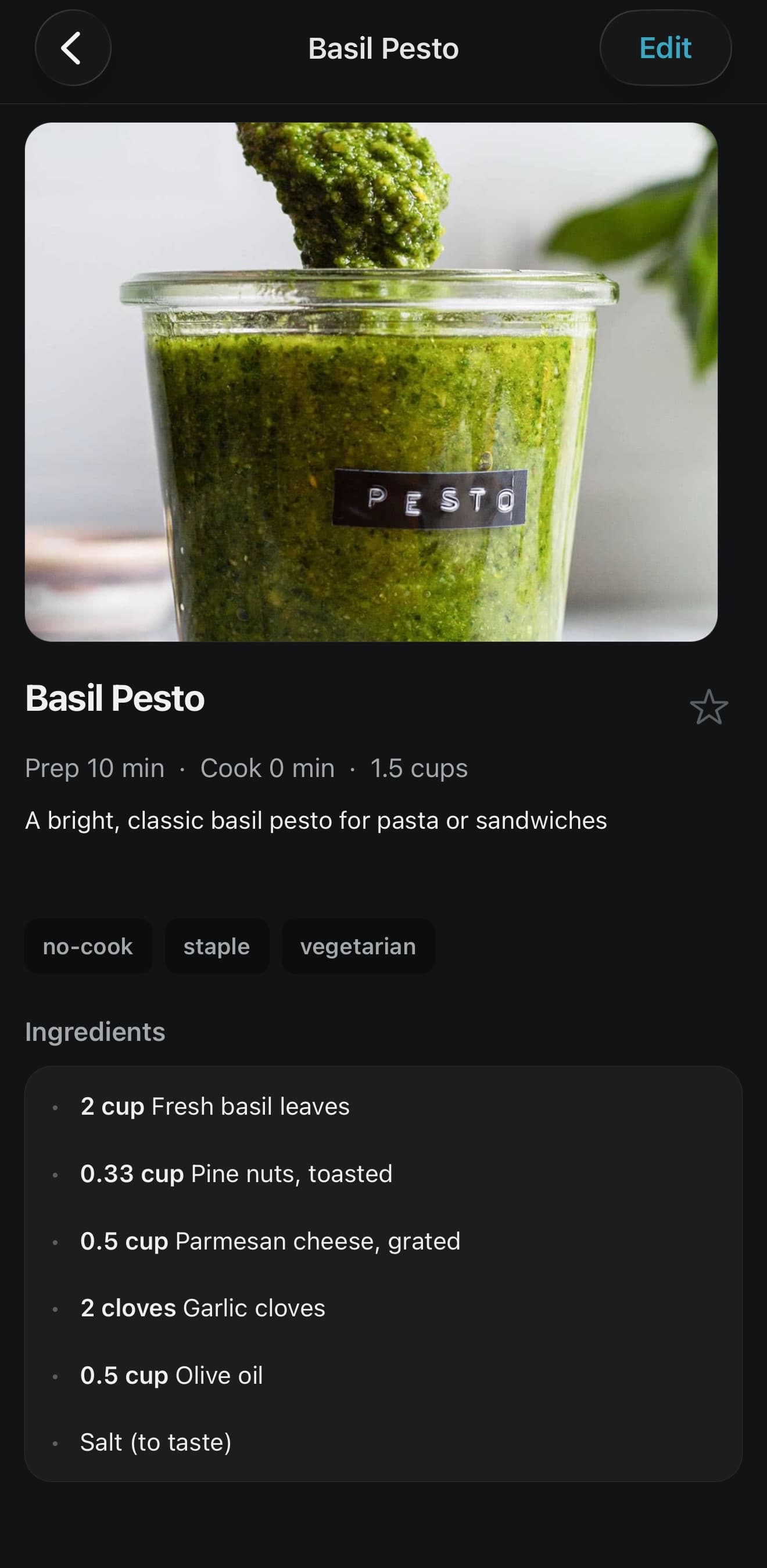
Your standards shouldn’t live in binders, texts, and one employee’s memory.
When recipes are difficult to find, outdated, or explained differently by every manager, training slows down and execution drifts. PrepBoard gives the team one dependable source of truth.
Outdated recipes
Old instructions stay in circulation long after the recipe actually changed.
Repeated questions
Managers lose time answering the same recipe questions every single shift.
Inconsistent execution
Ingredients, portions, and procedures shift from one employee to the next.
Scattered knowledge
Standards live across binders, files, group chats, and one person’s memory.
Built for the kitchen—not the corporate filing cabinet.
PrepBoard makes the approved recipe easy to find, understand, and maintain from the phone already in your team’s pocket.
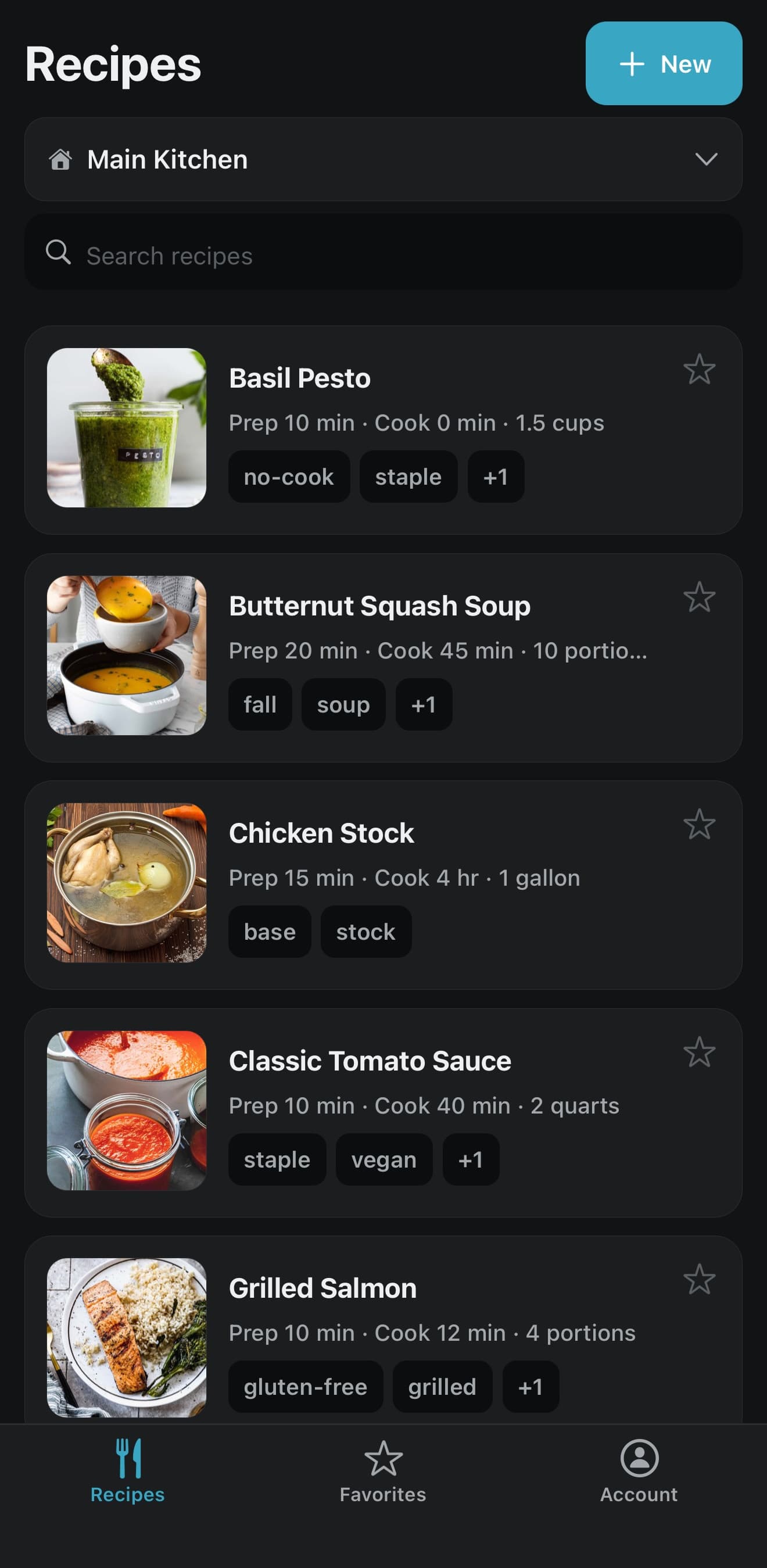
Find the answer quickly
Give staff fast access to the recipe they need without digging through binders or old files.
Every quantity, in one place
Measurements sit alongside each ingredient, so prep matches the approved standard instead of someone’s estimate.
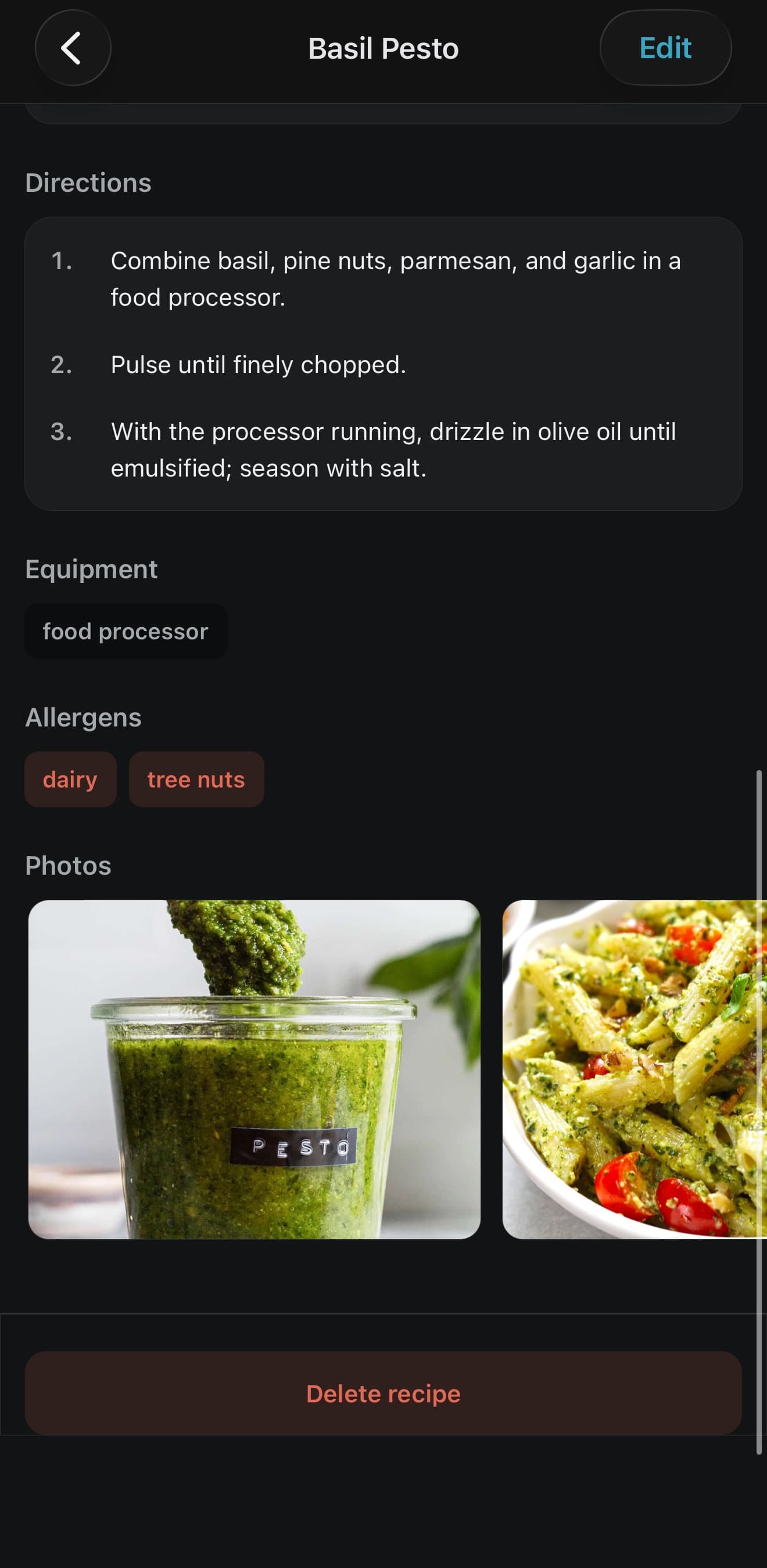
Steps in the order they happen
Numbered directions keep execution consistent whoever is on the station that day.
Show what “right” looks like
Reference photos let a cook check their own plate against the standard before it reaches the guest.
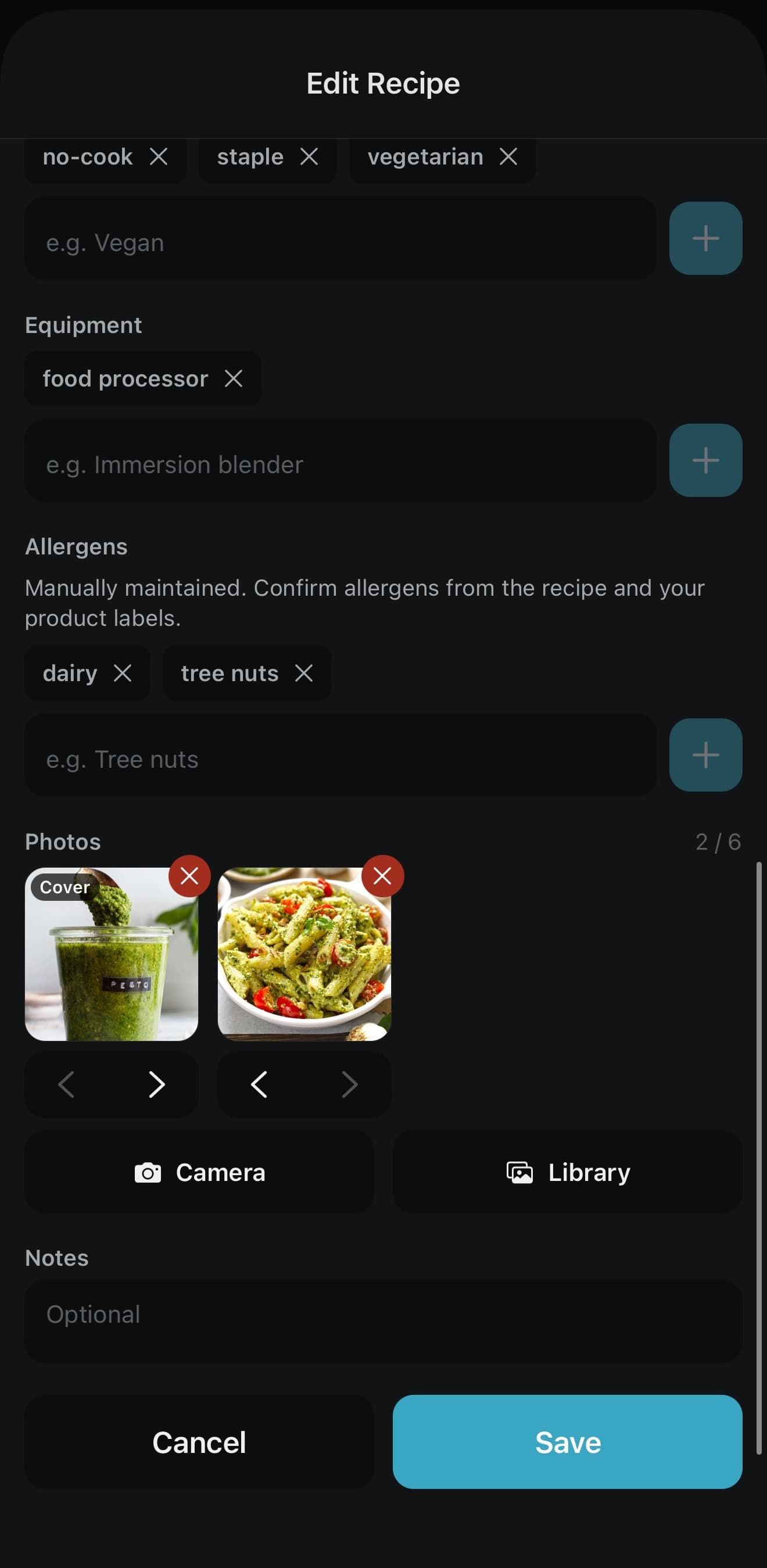
Protect manager control
Managers maintain the standard while staff retain simple read access.
Better information creates better shifts.
Train with confidence
Give new employees clear recipes, procedures, and reference photos from their first shift.
Protect consistency
Keep the current approved version available to everyone who needs it.
Reduce preventable mistakes
Make ingredients, portions, and procedures easy to verify before errors reach the guest.
Maintain control
Let managers update standards without giving every employee editing access.
From setup to service in three steps.
Create your restaurant
Set up your organization and first location through the web signup flow.
Build your recipe library
Add recipes, ingredients, directions, and reference photos.
Give your team access
Staff use the PrepBoard app to find the approved recipe during training and service.
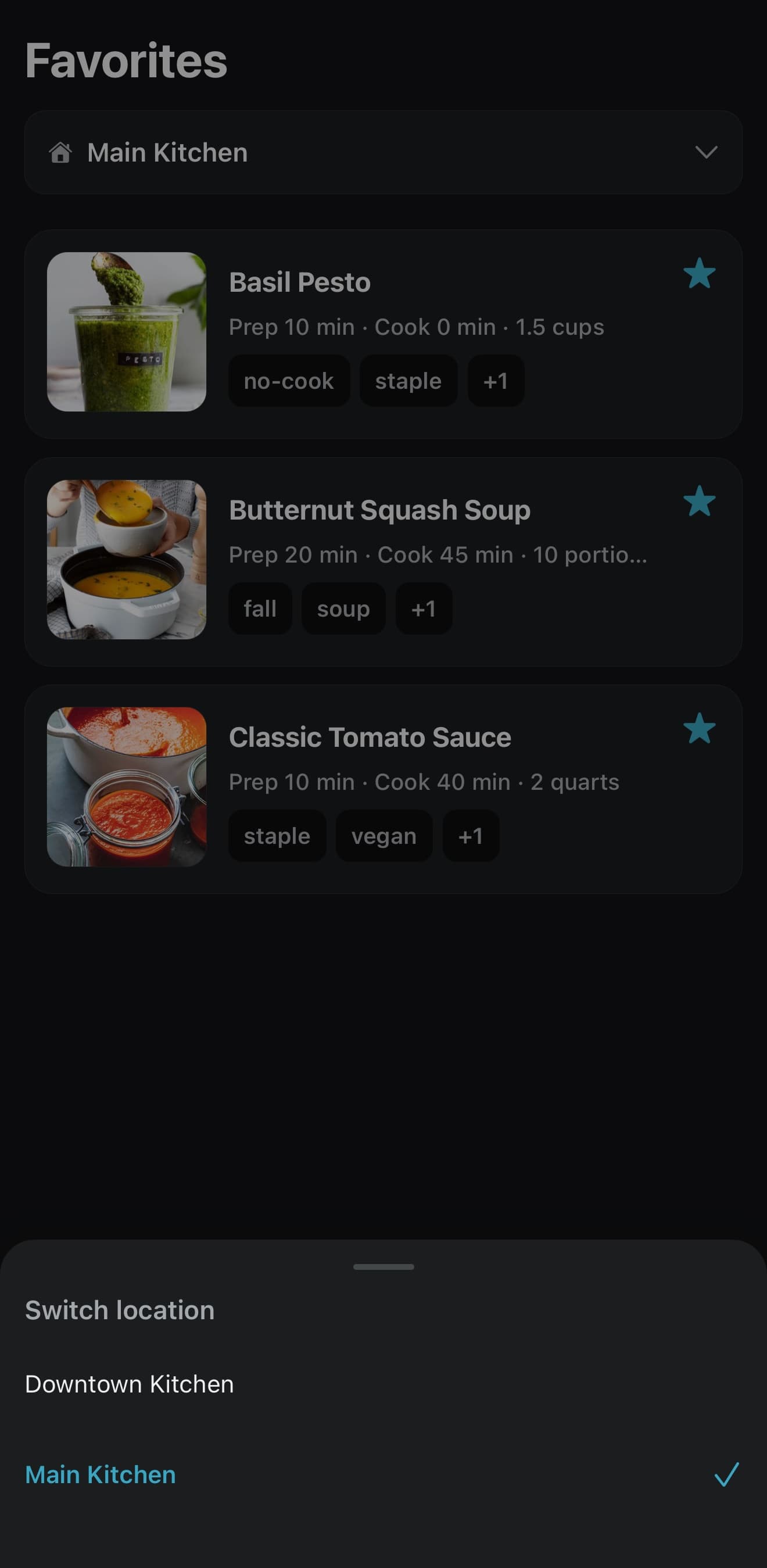
One organization. Every location’s standards.
Share core recipes across your restaurant group while keeping location-specific items where they belong. Update the standard once and give each team access to the right information.
Start with your first location and add more anytime from your account.
Simple pricing for real restaurant operations.
Start with one location and add more as your restaurant group grows. Staff access is included.
One location
$49/month
- Unlimited staff access
- Manager-controlled editing
- Recipes, procedures, and reference photos
- Monthly billing
- Cancel anytime
Additional active locations: $20/month each
Operating several locations? Set Up Your Locations
Why PrepBoard exists
Built inside restaurant operations—not a software boardroom.
I’m Carter, a restaurant operator and chef. I built PrepBoard after seeing the same problem across real kitchens: the correct recipe is often harder to find than it should be, training depends too heavily on whoever is working, and standards drift when information is scattered.
PrepBoard is designed to make the right way the easy way for managers and staff.
Carter — founder, restaurant operator and chef
Questions, answered.
Does every employee need a paid account?
Who can edit recipes?
Can employees use PrepBoard on their phones?
Can recipes be used across multiple locations?
What happens after I subscribe?
Can I cancel?
How is restaurant information protected?
What happens without internet?
Something not covered here? Email us.
Your team is already following a system. Give them a better one.
Put every recipe and standard in one reliable place—and give every shift the information it needs to execute correctly.
$49 per month for the first location. Staff access included. Cancel anytime.